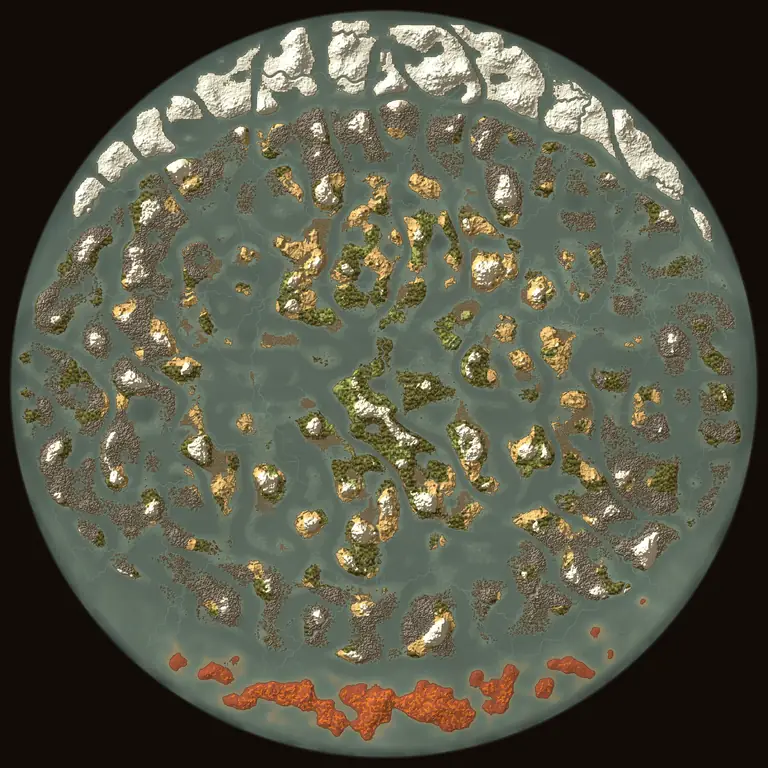
Valheim seed map viewer and world generator
Type a seed and this Valheim map shows the whole world before you set foot in it: every biome, the spawn, the boss altars, Haldor, Hildir and the Bog Witch, dungeons, ore deposits and berry bushes. It works for any seed, including your own world's, and you can share the map with a link.
The map generates a Valheim world from its seed in your browser, with a port of the game's own world generator. Terrain, biomes, rivers and every location spot (about 12,000 per world) match worlds made by the Valheim dedicated server exactly: we compared six worlds, bit for bit. Ore deposits, berries, mushrooms and trees come from the game's vegetation rules, worked out for the part of the map you're looking at.
The default seed, HailOdin, is pre-drawn. Any other seed draws its terrain in under a second and places all locations in a few seconds on a desktop.
Questions
Where do I find my world's seed?
The world list in the game shows it under the world's name. Or drop the world's .fwl or .fwl2 file on the map; it reads the seed.
Will it match my world?
Yes, for worlds made since the Mistlands update. Two things are decided in the game, not by the seed: Haldor, Hildir, the Bog Witch and a few other unique places have several candidate spots, and the first one a player gets near becomes the real one; and a location's rotation is rolled when its area first loads.
How do I teleport somewhere?
Open the console (F5), type devcommands, then goto x z. Every location and map point has a button that copies the command.
What does ≈ mean on a resource?
Resource positions were checked against 4,059 zones generated by the game: 98.3% of placements are reproduced within half a metre, 99.97% in zones without a location. Kinds marked ≈ matched less well in zones without a location, or were too rare to check; treat them as likely spots. Near a location any kind can differ: those spots have a dashed ring. Click or tap a resource for its numbers.
Can it show my bases and portals?
Yes. Pick your worlds folder in the Your save tab (with Steam Cloud on, which is most players, that's Steam\userdata\<id>\892970\remote\worlds; otherwise worlds_local), or drop the world's files on the map: your buildings, portals, graves, beds, boats and carts appear on the map, and the bosses you've beaten in the Your save tab. In Chrome and Edge a linked folder is read again whenever the game saves.
Is my save uploaded?
No. World and character files are read in your browser and never leave your computer.